
English
Remote desktop
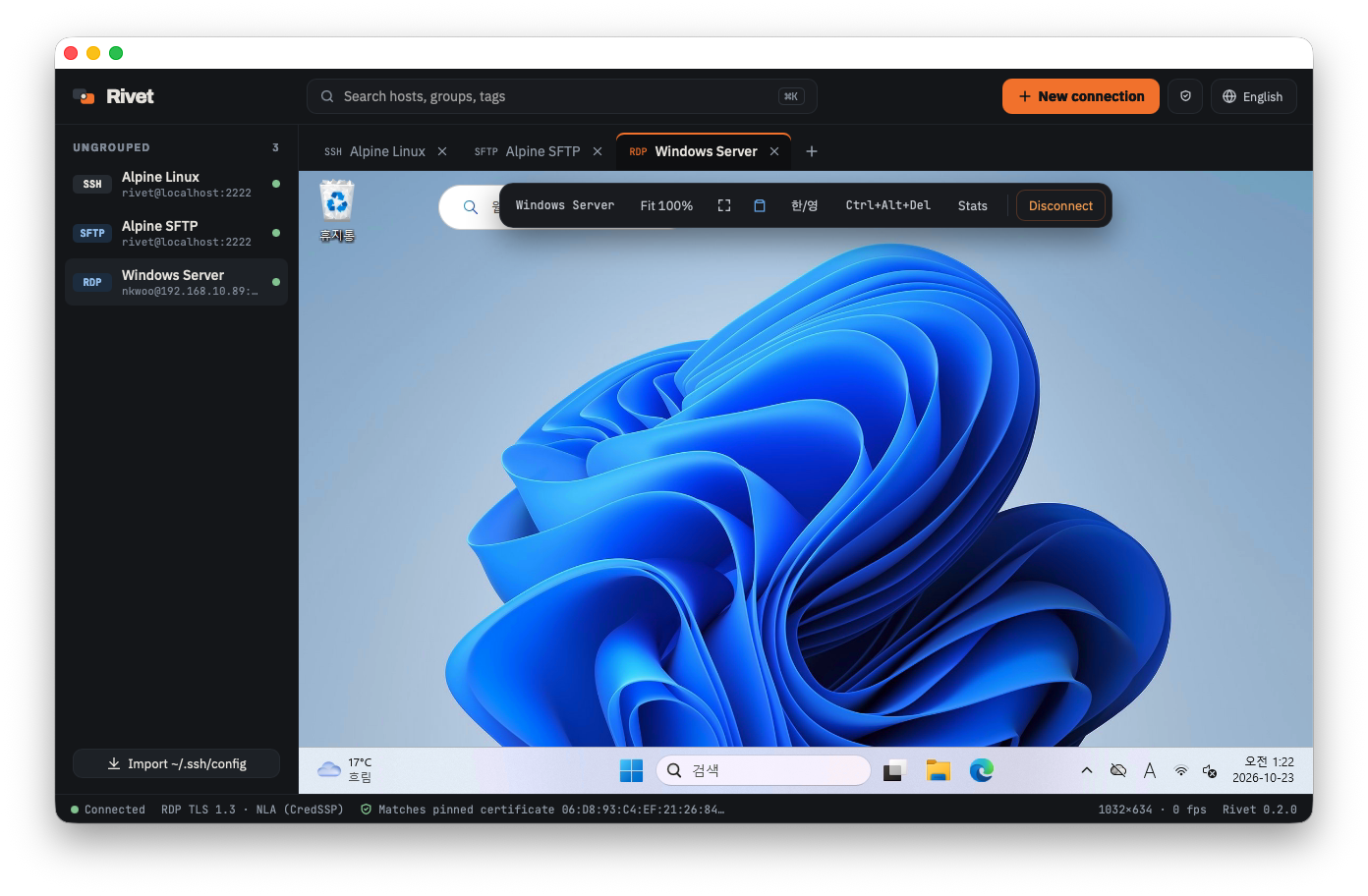
RDP connections connect to Windows 10/11 and Windows Server.
Authentication
- NLA (CredSSP) is the default. User names can be
user,DOMAIN\useroruser@domain. - Servers without NLA connect to the Windows sign-in screen, shown as
Remote sign-in screenin the status bar. - If the password is wrong, Rivet asks again.
Server certificate
If your OS does not trust the certificate (such as Windows' default self-signed one), Rivet shows its SHA-256 fingerprint on the first connection. After you check it with the server administrator and pin it, Rivet connects only when the certificate is the same. A changed certificate blocks the connection. There is no option to turn certificate checks off.
Display
| Setting (connection editor) | Description |
|---|---|
| Resolution | Fit to window changes the remote resolution with the tab size. Fixed resolutions are also available |
| Remote display scale | Scaling on the remote Windows. Automatic by default |
| High-resolution (Retina) | Connects with your display's actual pixels. Sharper, but uses more bandwidth |
The toolbar switches between actual size and fit to window, and toggles full screen.
Keyboard and Korean input (macOS)
Choose under Keyboard input in the connection editor.
- Remote input method (default): Sends keys as-is so the Windows input method composes them; characters appear immediately. Toggle Korean/English with the toolbar 한/영 button or the right ⌘, and pick the toggle key that matches the Windows IME setting (Han/Yeong key, Right Alt, Shift+Space).
- Mac input method: The Mac composes characters before sending them. Characters being composed are previewed at the last clicked position.
Keys pressed with ⌘ are sent with Ctrl on the remote (⌘C → Ctrl+C). Pressing and releasing ⌘ alone sends the Windows key.
Clipboard
Clipboard sharing in the toolbar shares text in both directions. Copying files and images is not supported yet.
Connect through an SSH tunnel
If the RDP port is not reachable directly, pick an SSH connection under Jump host in the connection editor. Rivet connects to that SSH server and then reaches the Windows RDP port through an SSH tunnel. Certificate checks and NLA still apply inside the tunnel.
Stats
Stats in the toolbar shows fps, draw time, received data and input-to-screen latency, useful when things feel slow.
Not supported yet
H.264 display codec, audio, drive redirection, RD Gateway, Kerberos authentication, automatic reconnect, multiple monitors.