
English
File transfer
SFTP, FTP and FTPS connections open in a two-pane explorer with local files on the left and remote files on the right. For SSH connections, choose Files in the tab's View switch to use SFTP over the same connection.
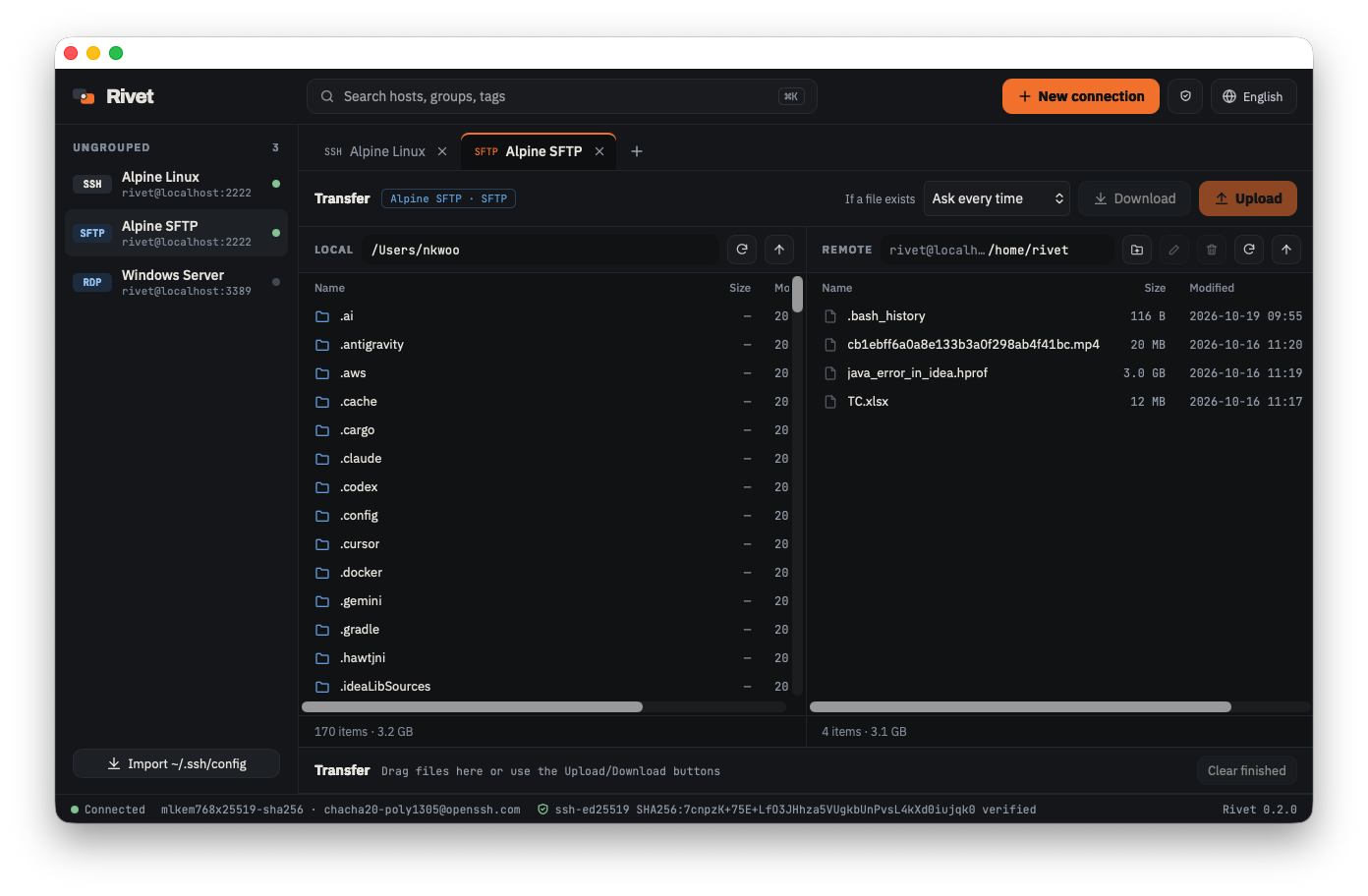
Upload and download
- Select files and click Upload / Download, or drag them to the other pane.
- Dropping files from Finder or File Explorer onto the remote pane uploads them.
- You can select several files and folders at once.
- Type a path directly in the path bar; Backspace goes to the parent folder.
The remote pane supports new folder, rename and delete. Folders are deleted only when empty.
Transfer queue
Transfers go into the queue below and run 3 at a time with progress. Failed items can be retried with Retry.
Choose what happens when a file already exists under If a file exists above the queue.
| Option | Behavior |
|---|---|
| Ask every time | Shows the existing file's size and modified date and the incoming file's size, then asks to overwrite or skip. You can apply the choice to the rest |
| Overwrite if newer | Overwrites only if the incoming file was modified more recently |
| Overwrite | Always overwrites |
| Skip | Always skips |
Downloads are written to a .rivetpart file and renamed when complete, so a failed download never damages an existing file.
Safeguards
- Remote file names that point outside the target folder (
../, absolute paths) or are reserved on Windows (CON,aux.txt, …) are not downloaded. - Symbolic links are skipped, not followed.
- Very large folders (over 20,000 entries) are listed partially.
FTP and FTPS
- Passive mode is the default.
- Port 990 uses implicit TLS; other ports (usually 21) use
AUTH TLS. - Certificates your OS does not trust (self-signed, etc.) are pinned after you check their SHA-256 fingerprint. A changed pinned certificate blocks the connection.
- Plain FTP sends passwords and file contents unencrypted. A warning stays visible in the connection editor and status bar.
Transferring files to Windows servers
For Windows servers, we recommend enabling the built-in OpenSSH server and connecting with SFTP.
If listing works but transfers fail, see Troubleshooting.